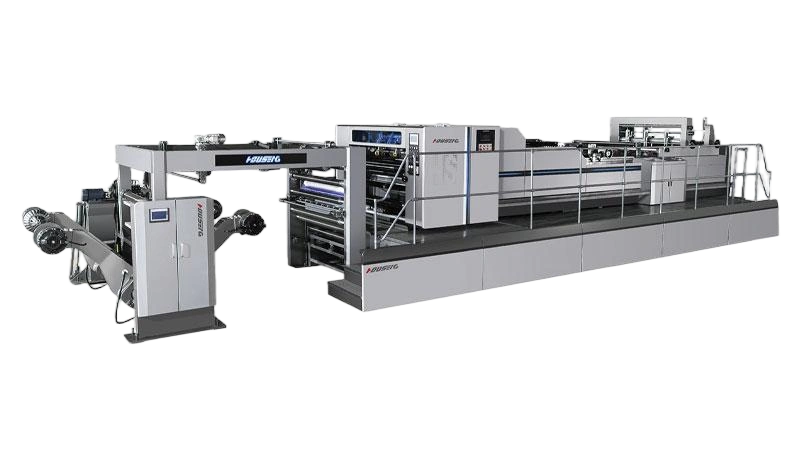
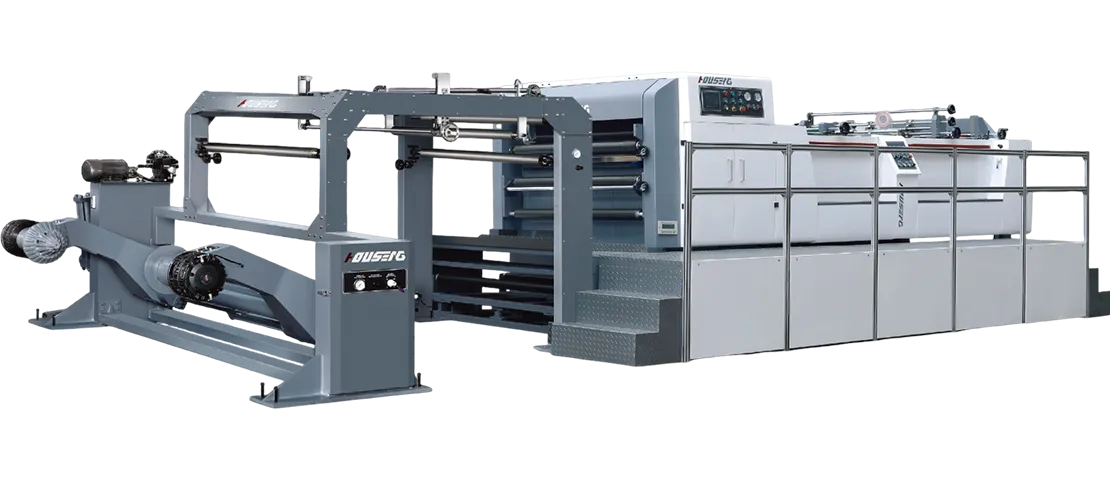
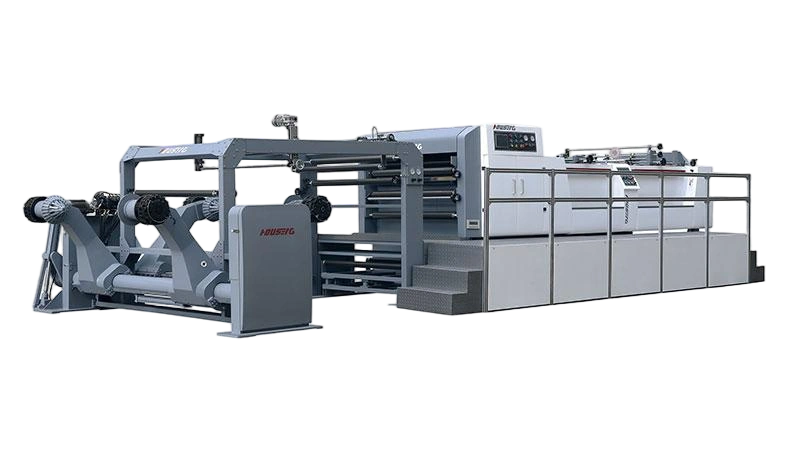
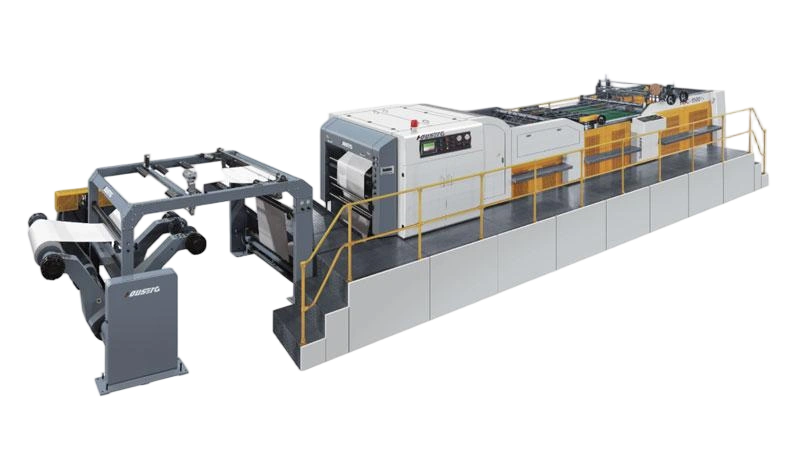
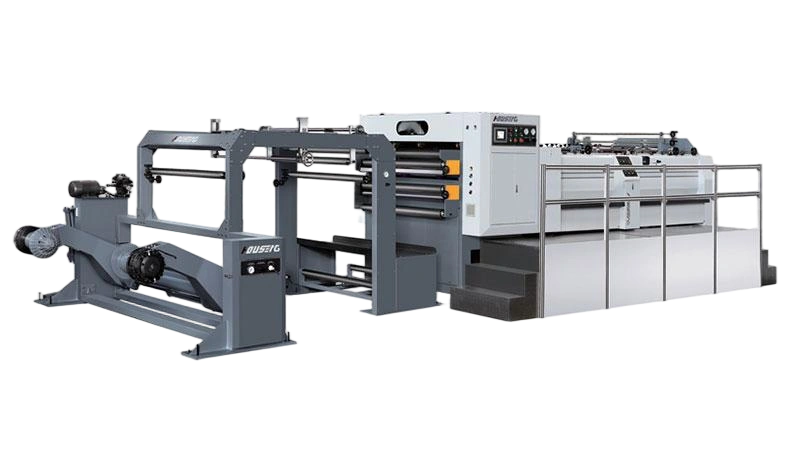
The right paper sheeting machine configuration depends primarily on three paper characteristics: grammage (weight), surface coating, and fiber structure. Lightweight coated papers require precision knife systems and surface protection; heavy kraft and board demand high cutting force and robust feeding; abrasive recycled grades need durable knife materials and easy maintenance access. No single sheeter configuration works optimally across all paper types—the machine must be specified for the specific material mix you run.
For a printing house, packaging converter, or paper mill, the roll‑to‑sheet cutting line is a major capital investment. But the machine that performs flawlessly on 80 gsm uncoated offset paper may struggle with 400 gsm kraft board—producing ragged edges, feeding jams, or excessive knife wear. This article examines how different paper types affect sheeter performance and provides a practical framework for specifying the right configuration for your material mix.
Why Paper Type Matters for Sheeter Selection
Paper is not a uniform commodity. Variations in grammage, coating, fiber type, and moisture content directly affect how a sheeter must be configured.
| Paper Property | Impact on Sheeter Performance |
|---|---|
| Grammage (weight) | Determines cutting force required; heavier papers need more powerful drives and robust knife systems |
| Surface coating | Affects blade friction and wear; coated papers require sharper knives to prevent coating peel |
| Fiber structure | Long-fiber papers (kraft) are tougher to cut; short-fiber papers (newsprint) are prone to tearing |
| Recycled content | Abrasive fillers accelerate knife wear; requires frequent blade maintenance |
| Moisture content | Affects dimensional stability and feeding behavior |
A machine specified without considering the paper types it will run often underperforms—not because it is poorly built, but because it is incorrectly configured for the application.
Paper Type Categories and Their Configuration Requirements
Lightweight Coated Papers (80–200 gsm)
Examples: Coated art paper, gloss paper, matte coated paper
Cutting challenges:
• Coating is prone to peeling or chipping at the cut edge
• Surface scratches are visible and unacceptable for premium print jobs
• High‑speed feeding can cause surface marking
Configuration requirements:
• Knife system: Sharp, high‑hardness blades with precise gap control; double rotary or synchro‑fly designs deliver cleaner cuts
• Cutting speed: Medium range (typical 3–5 sheets per cut for 128 g/m² coated paper)
• Surface protection: Cutting table surface protection pads to prevent scratches
• Tension control: Precise, consistent tension to avoid coating stress
Best machine match: High Precision Sheet Cutter with servo drive and fine knife adjustment
Uncoated Printing Papers (50–150 gsm)
Examples: Offset paper, bond paper, newsprint
Cutting challenges:
• Uneven fiber distribution can cause inconsistent edge smoothness
• Newsprint's loose fiber structure makes it prone to tearing
• High‑speed operation requires stable feeding
Configuration requirements:
• Knife system: Standard blades with regular sharpening schedule; special blade angles (15–20 degrees) for newsprint to minimize fiber damage
• Feeding: Optimized feeder separation mechanism for stable sheet feeding
• Environment: Humidity control (45–55%) to prevent moisture absorption
Best machine match: Standard Paper Sheeting Machine with PLC control
Heavy Kraft and Packaging Papers (150–600 gsm)
Examples: Kraft paper, linerboard, solid board
Cutting challenges:
• High fiber toughness causes rapid blade dulling
• Heavy weight requires strong feeding force to prevent slipping
• Incomplete cutting (uncut fibers) is a common issue
Configuration requirements:
• Knife system: High‑toughness alloy blades; synchro‑fly design handles heavy materials up to 1000 g/m²
• Cutting pressure: Increased pressure—typically 8–10 MPa hydraulic pressure for 200 g/m² kraft
• Feeding: Optimized pressure rollers to enhance feeding friction and prevent slipping
• Drive: Heavy‑duty drive system for consistent cutting force
Best machine match: Synchro‑Fly Sheeter Machine—heavy‑duty design for up to 15T rolls, no burrs, no surface scratches
Corrugated and Multi‑Layer Boards
Examples: Corrugated board, duplex board, multi‑layer packaging materials
Cutting challenges:
• Uneven thickness due to corrugated or laminated structure
• Multiple layers can delaminate at the cut edge
• High stacking weight requires robust handling
Configuration requirements:
• Knife system: Heavy‑duty rotary or synchro‑fly with precise synchronization
• Stacking: Air‑assist layboys and gentle stacker designs to prevent edge damage
• Feeding: Strong, stable infeed with adjustable nip pressure
Best machine match: Synchro‑Fly Sheeter or customized heavy‑duty configuration
Recycled Fiber Papers
Examples: Recycled board, post‑consumer waste papers
Cutting challenges:
• Abrasive fillers (clay, calcium carbonate) accelerate knife wear
• Inconsistent fiber quality affects cut quality
• Higher maintenance frequency
Configuration requirements:
• Knife system: Wear‑resistant knife materials; easy knife removal and replacement design
• Maintenance: Accessible knife change mechanism; shorter knife grinding intervals
• Dust management: Effective dust extraction to prevent abrasive buildup
Best machine match: Configuration with quick‑change knife system and heavy‑duty construction
Matching Sheeter Subsystems to Paper Types
Beyond the knife system, several subsystems must be configured based on your paper mix:
| Subsystem | Light Coated | Uncoated | Heavy Kraft | Recycled |
|---|---|---|---|---|
| Knife material | High‑hardness steel | Standard steel | Alloy steel | Wear‑resistant alloy |
| Drive type | Servo (precision) | Servo or mechanical | Heavy‑duty servo | Heavy‑duty |
| Tension control | High precision | Standard | High force | Standard |
| Stacking system | Gentle/air‑assist | Standard | Heavy‑duty | Heavy‑duty |
| Knife change access | Standard | Standard | Standard | Quick‑change |
HOUSENG offers nine optional features that can be freely combined to match specific paper processing requirements, including inkjet coding systems, automatic material flow, pallet pushers, infrared alignment, auto‑adjustment platforms, weighing systems, slitting and trimming knives, automatic change systems, and automatic splicers.
Practical Selection Framework
When specifying a sheeter for your operation, follow this decision process:
Step 1: List Your Paper Types
Document every paper grade you currently run or plan to run. Include:
• Grammage range (minimum to maximum)
• Coating type (if any)
• Fiber composition (virgin, recycled, or blend)
• Expected annual volume per grade
Step 2: Identify the Most Demanding Grade
Spec the machine for your most demanding paper type—typically the heaviest, most abrasive, or most coating‑sensitive grade. A machine that handles the hardest paper will easily handle lighter grades with appropriate adjustment.
Step 3: Match Knife System to Paper
• Coated and fine papers → Double rotary with fine knife control
• Heavy kraft and board → Synchro‑fly with heavy‑duty blades
• Mixed / variable → Versatile configuration with adjustable parameters
Step 4: Consider Optional Features
Based on your paper types and downstream processes, evaluate optional add‑ons:
• Inkjet coding → For traceability and branding
Slitting and trimming → For multi‑roll or edge‑trim applications
Automatic splicer → For continuous operation on long runs
Weighing scale system → For production monitoring and quality control
Step 5: Verify with the Manufacturer
Paper properties vary by supplier and batch. Always discuss your specific material requirements with the manufacturer before finalizing specifications. A reputable supplier will run material tests or provide configuration recommendations based on your paper samples.
For operations running a wide mix of paper types, reviewing the available configurations can help identify the most versatile machine platform. The solution page also provides insight into customization capabilities.
Common Mistakes in Sheeter Selection
| Mistake | Consequence | How to Avoid |
|---|---|---|
| Specifying for average paper, not the heaviest | Underpowered machine on heavy grades | Design for the maximum grammage |
| Ignoring coating sensitivity | Coating peel, rejected sheets | Specify sharp knives and surface protection |
| Overlooking recycled content | Rapid knife wear, high maintenance cost | Choose wear‑resistant knives and easy‑change design |
| Not planning for future paper types | Machine becomes obsolete as product mix changes | Build in adjustability and optional features |
| Assuming one configuration fits all | Compromised performance across grades | Match configuration to your specific material mix |
Frequently Asked Questions
Can one paper sheeting machine handle both lightweight and heavy paper?
Yes, but performance may vary across the range. Machines with servo drives and adjustable cutting pressure handle a wider weight range than fixed‑configuration machines. However, the machine should be specified for the heaviest paper you plan to run, then adjusted down for lighter grades.
What sheeter is best for coated paper?
A double rotary or synchro‑fly sheeter with sharp, high‑hardness blades and precise gap control. Coated papers require clean cuts to prevent coating peel, and surface protection on the cutting table helps prevent scratches.
How does recycled paper affect sheeter maintenance?
Recycled paper contains abrasive fillers that accelerate knife wear. A sheeter running recycled board will need more frequent knife grinding than one running virgin kraft. Machines with quick‑change knife systems reduce downtime for this maintenance.
Is a servo drive necessary for paper sheeting machines?
Servo drives offer faster response to speed variations and more precise position control compared to mechanical drives. For operations running coated papers, heavy boards, or requiring tight dimensional tolerances, servo drive is recommended. For single‑grade, low‑speed operations, mechanical drive may be sufficient.
What optional features are most important for packaging applications?
For packaging converters, air‑assist layboys for gentle stacking, heavy‑duty feeding systems, and quick‑change knife systems are particularly valuable. For mills running continuous production, automatic splicers and inline coding systems add significant value.
How do I know if my current sheeter is correctly configured for my paper types?
Run a sample of each paper grade at normal production speed and inspect cut edge quality, dimensional accuracy, and stacking consistency. If you observe ragged edges, feeding slips, or excessive knife wear on specific grades, your configuration may need adjustment—or you may need a different machine for that material.
Conclusion
Selecting the right paper sheeting machine is not about choosing the "best" machine—it is about choosing the right configuration for your specific paper types and production requirements.
Key takeaways for buyers:
• List your paper types first—grammage, coating, fiber composition, and recycled content all affect configuration choices
• Spec for the most demanding grade—a machine that handles your heaviest, most abrasive paper will handle lighter grades
• Match subsystems to materials—knife system, drive type, tension control, and stacking all need to align with your paper mix
• Plan for flexibility—if your product mix changes, choose a machine with adjustable parameters and optional features
• Consult the manufacturer—paper properties vary; always confirm configuration recommendations with the supplier
If you are evaluating sheeter options for your paper converting operation, reviewing the available machine configurations can help you match the right equipment to your material requirements. For specific applications—such as heavy kraft, coated printing papers, or recycled board—discussing your material mix and production goals with the manufacturer is essential before finalizing specifications.
This article provides general guidance on paper sheeting machine selection based on paper types. Actual performance depends on operating conditions, material characteristics, and machine configuration. Buyers should confirm specifications with the supplier for their specific application.